Month: February 2011 (Page 5 of 7)

Where is File Sharing Today?

In the early days of file sharing, individuals used the process primarily to share music files. This led to legal issues due to copyright infractions, and several individuals faced hefty fines for listening to shared files. This, however, did not stop file sharing from expanding.

Today, people use file-sharing software, like Ares galaxy, to share everything from multi-media files to family pictures and from movies to spreadsheets to software programs. While some downloads remain illegal, many are not. This is especially true for individuals who create work and then share the files for others to see, releasing certain distribution rights for the file.

While individuals often use file sharing for personal reasons, it has gained traction in the workplace. Companies now see file sharing as a way to cut costs and increase productivity. Employees can complete processes that took hours to do without file sharing in less than a minute by clicking a few buttons.

When it comes to corporate file sharing, the process can vary from one business to the next; however, all businesses can incorporate some type of file sharing into the pipeline. Small business owners can use it to communicate and share important documents with clients without having to worry about an email program’s attachment size limitation. Larger companies can use file sharing to connect employees working in different offices or facilities.

One major advancement for file sharing is cloud computing. This take file sharing to a new level because it allows users to connect to the cloud, which is a virtual storage space for users. As long as a person has access to the cloud, he can work on any file or access any software application stored in the cloud.

File sharing continues to move forward in the technical industry. Whether you want to share your latest snapshot or get a client to sign off on a contract, file sharing can help.

Things to Consider When You’re Computer Shopping

When you purchase a computer from the store, it will come with an operating system (OS) in place. For many, this system will determine what programs and applications can run on the computer. Windows PCs tend to favor other Windows flavors, such as Microsoft Office Suite. The same is true with Macs.

In essence, the OS can create a program gridlock, where you feel forced to use programs that will work with your system rather than trying to port a program to your computer. Knowing the software options available for your computer may affect which system you want to purchase.

Another consideration is what mobile computing tools you use. For example, if you want to use the Apple iPad, you may find it easier to sync applications from the device to your computer if you purchase a computer with a compatible OS.

While the system and the mobile computing tools can be important, you can expand your computer without worrying about the OS. To do this, consider open source products.

First, think about what type of program you want to add. Open source projects often begin with one OS in mind. If you like your Windows system, you may want to find an open source project designed for it.

Second, look for cross-platform programs. Open source projects tend to rebel against manufacturer gridlock, so it’s common to find a program, like VirtualDub, that will work on Windows or Macs.

The operating system for a computer is an essential part of buying a computer, but it is not the only consideration. By thinking about what programs you want to work with on the computer, the mobile devices you like to use, and open source programs you can add to any system, you can make a better choice when you’re ready to buy your next computer.

Game On in Dallas

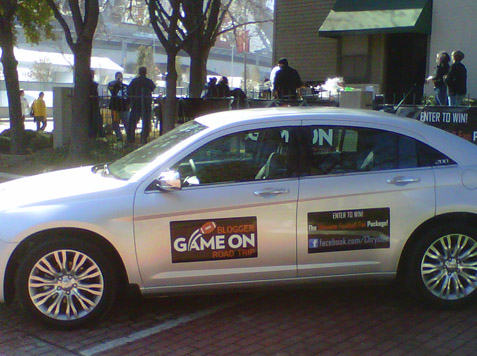
Bullz-Eye arrived in Dallas Saturday morning to sunshine and a warm welcome from our fellow bloggers from the “Game On” Blogger road trip to the Big Game. We were stopped in our tracks Friday night in Ennis, Texas due to icy roads but the final 30 miles into Dallas were smooth and filled with anticipation. The Chrysler 200 delivered all the way for our 4th and final leg of the Drive to Dallas and we’re optimistic about the future of this new mid-sized sedan from Chrysler.

We’re seeing bulls everywhere we go in Dallas so we feel right at home (check out the photos above). Today we’ll be heading to a house in eyesight of Cowboys Stadium for a day-long tailgating event with the whole Chrysler 200 road trip team. Everyone had their own time in the 2011 Chrysler 200 during their leg of the trip with different obstacles and challenges to overcome, including some of the coldest winter weather of the season thus far! Now it all hits the top of the mountain with the Big Game tonight and we’re going to be a part of history.

Read the full article.

« Older posts Newer posts »

© 2026 Dashboard News

Theme by Anders NorenUp ↑